Shared Calendar App for Couples
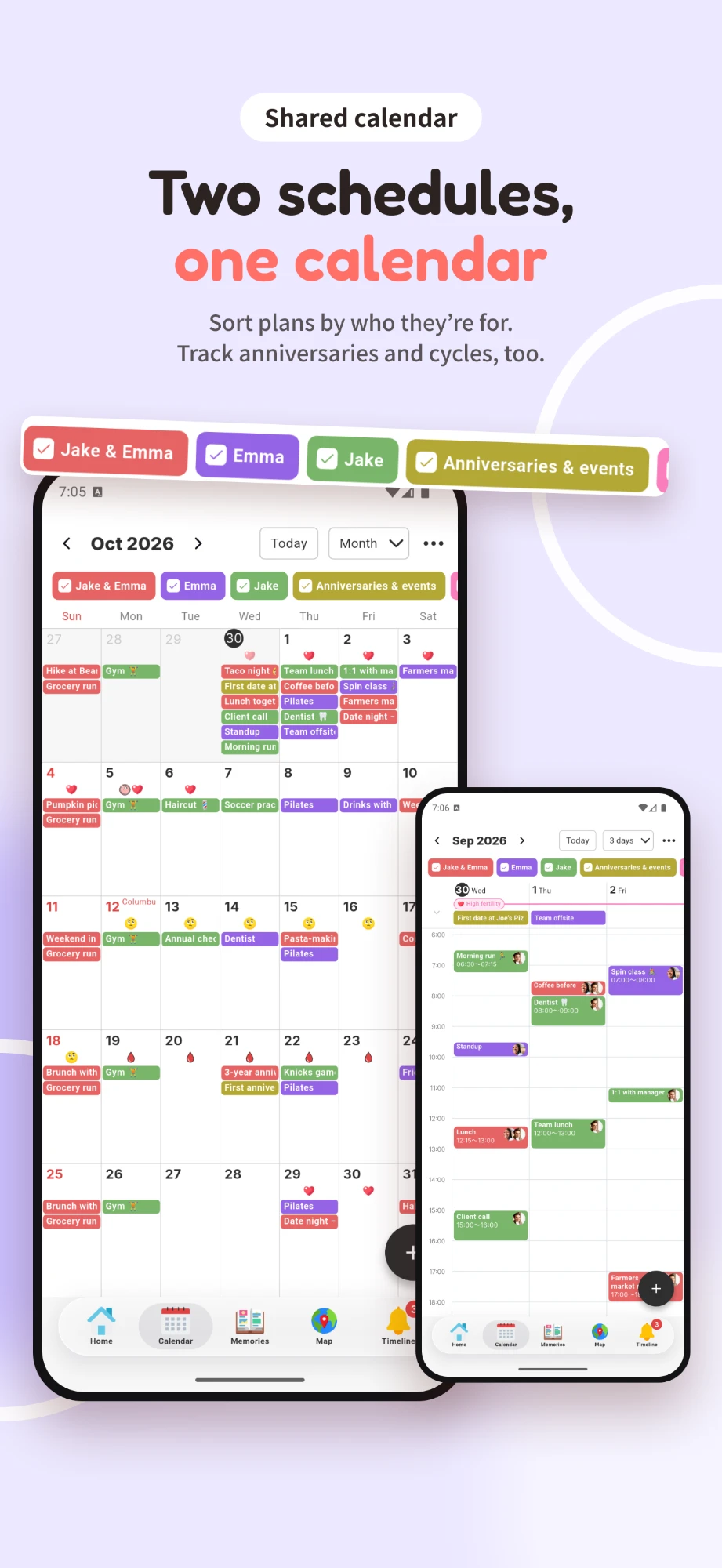
COUPPLY is a free shared calendar app made for two. Connect with your partner once, and both of your schedules live in one calendar: your plans together, your own events, your partner's events, and anniversaries, each in its own color. It works on iPhone and Android, in English, Spanish, or Japanese.
There's nothing to invite or set up for each event, and your work calendar can stay private. Everything you save is end-to-end encrypted, so not even the COUPPLY team can read your plans.

What you get
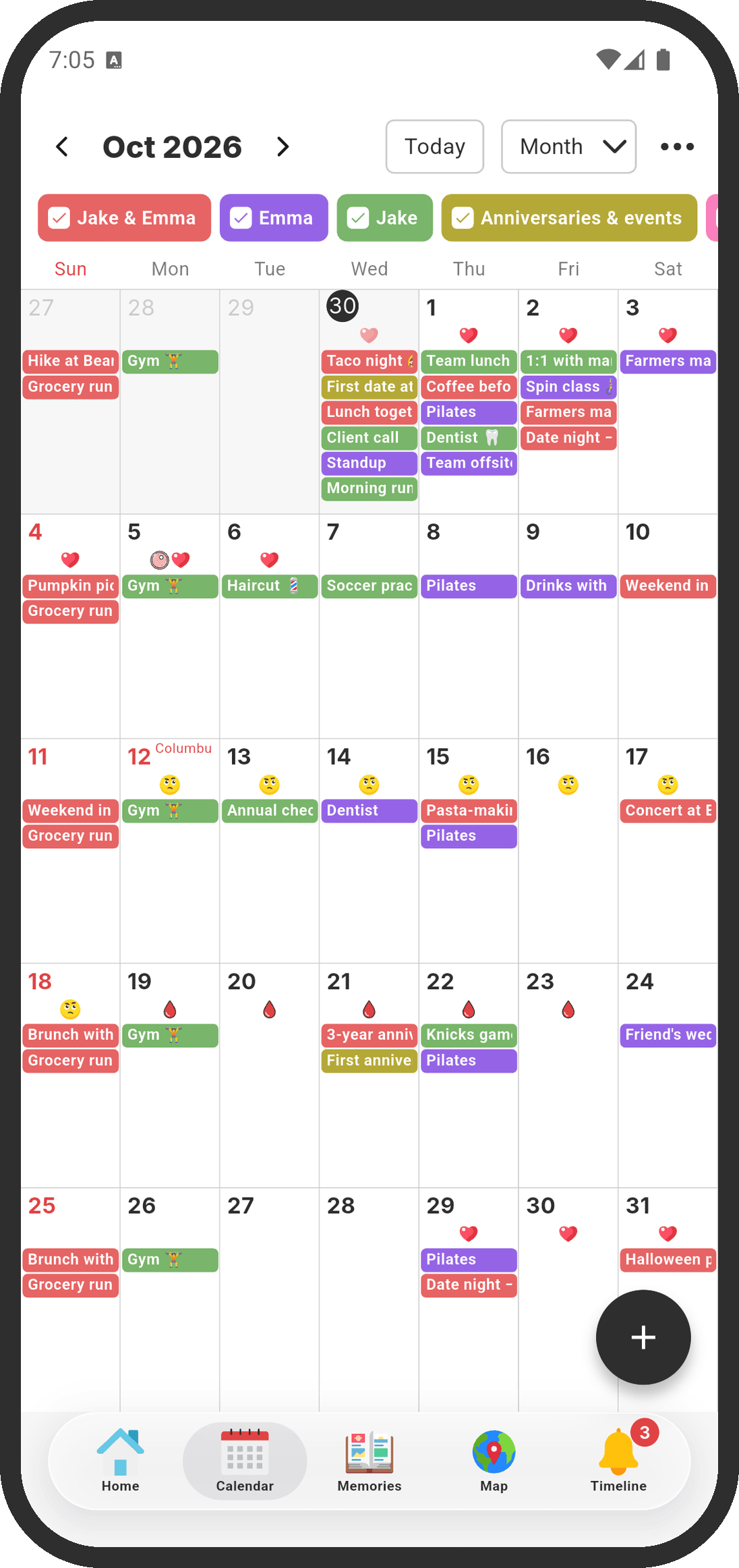
- "Our events," "My events," and your partner's events in one calendar, each in its own color
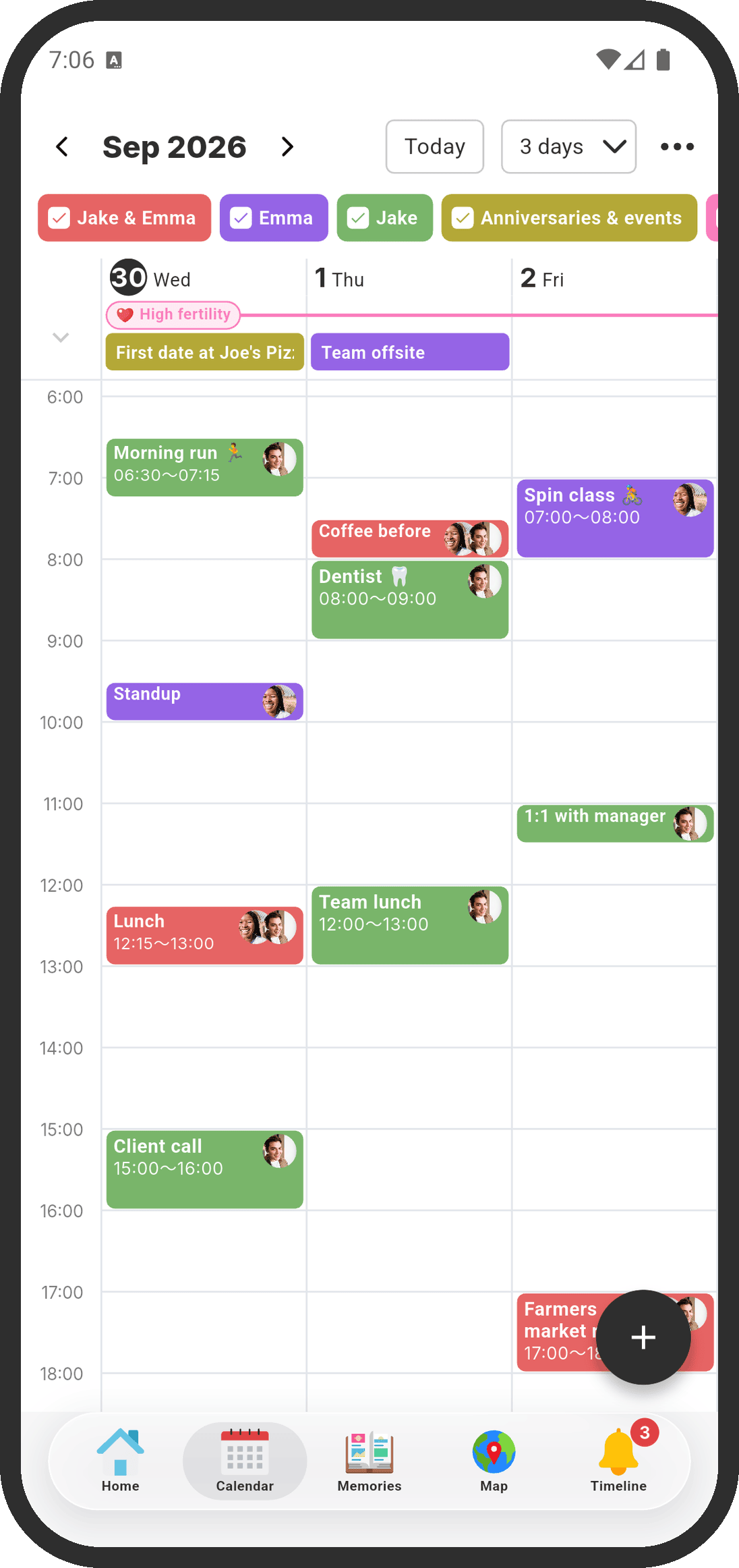
- 1-day, 3-day, week, month, and list views, all on the free plan
- Link your phone's calendar and share only "Busy" blocks with your partner
- Chat about any event, and reminders that go to both of your phones
- Anniversaries, countdowns, and optional period predictions on the same calendar
- End-to-end encrypted, and one COUPPLY PRO subscription covers both of you
Both of your schedules in one calendar
Many shared calendar apps are built for families or teams, so sharing with one person means creating a calendar, sending an invite, and choosing who sees each event. COUPPLY starts from two people. Once you're connected, every event you add is shared with your partner automatically.
- Whose event is it? "Our events" for plans together, "My events" for your own, and your partner's events each have their own color. Checkboxes at the top let you show or hide each one.
- Custom calendars: add calendars for things like shift schedules or family events (2 on the free plan, up to 10 with COUPPLY PRO).
- Many dates at once: "Save to multiple dates" adds the same event to several days, which is handy for shifts or classes.
- Repeat: every day, every week, every month, the third Sunday of each month, or every year.
See your week together, and move plans with a drag
Switch between 1 day, 3 days, week, month, and a list of events. All of them are free. In the 1-day, 3-day, and week views, events are laid out on a time axis, so you can spot free evenings at a glance.
- Long-press an event and drag it to another time or day, or drag its top or bottom edge to change how long it is.
- Tap an empty time to add an event that starts then.
- When one of you changes an event, the other gets an "Updated an event" notification.
Keep your work calendar private
Link your phone's calendar (such as the iPhone Calendar, or Google Calendar on Android) and its events appear on your COUPPLY calendar. For each linked calendar, choose what your partner sees:
| Only me | Shown only on your phone. Your partner can't see that you have events, and nothing is saved on COUPPLY's servers. |
|---|---|
| Share with partner (time only) | Your partner sees the time blocks as "Busy," without event names, notes, or places. This is the default. |
| Share with partner (everything) | Your partner sees the events, including their names. |
COUPPLY only reads your phone's calendar and never writes to it. You can also bring in events from an .ics file.
Talk about plans right on the event
- Event chat: every event has a chat icon, so "Who's booking the restaurant?" stays with the plan instead of getting lost in your messages.
- Reminders for both of you: set a reminder (at the start time, or 10 minutes to 1 day before) and it goes to both of your phones. Each of you can choose which notifications to get.
- Attachments: add photos and files, like plane tickets, to an event.
- From plan to memory: after a date, "Create a memory from this" turns the event into a memory in Memories, your shared photo album.
Anniversaries, countdowns, and periods on the same calendar
- Anniversaries: your birthdays, the day you started dating, and your wedding anniversary are added from your profiles, and you can add more. See anniversaries.
- Countdowns: count down to a trip or a date you're looking forward to.
- Period predictions (optional): if you choose to share, predicted periods show on the calendar so you can plan with care. See period tracking.
- Local holidays: holidays follow the time zone you choose, such as US holidays for New York.
Private by design
Your events are end-to-end encrypted on your phones before they're saved, so the COUPPLY team can't read your plans. The calendar is only for the two of you: there are no other members to manage and nothing is shown to anyone else. See privacy.
Free, with one optional plan for both of you
The calendar and all of its views are free. COUPPLY PRO is optional and adds more storage, higher limits (such as up to 10 custom calendars), and no ads. When one partner subscribes, both of you get PRO. See pricing.
Get started in three steps
- Download COUPPLY on iPhone or Android and create an account.
- Connect with your partner. Once you're connected, your calendar is shared.
- Add your first event, or link your phone's calendar and choose "time only" for work.
For every setting, see the calendar help.
Is COUPPLY the right shared calendar for you?
- A good fit: couples and married couples who want their calendar, chat, lists, and photos in one private app, and partners who use different phones (one on iPhone, one on Android).
- Not a fit: sharing a calendar with family, friends, or a team. COUPPLY is only for two people. Events from linked calendars can't be edited inside COUPPLY; change them in your calendar app.
Comparing options? See our guide to the best shared calendar apps for couples.
FAQ
Is COUPPLY's shared calendar free?
Yes. The calendar and its 1-day, 3-day, week, month, and list views are free. COUPPLY PRO is optional (more storage, higher limits, no ads), and when one partner subscribes, both partners get PRO.
Can my partner see my work calendar?
Only if you choose to share it. For each calendar you link from your phone, choose "Only me," "Share with partner (time only)," where your partner just sees "Busy" without event names, notes, or places, or "Share with partner (everything)." Time only is the default.
Does it work if one of us has an iPhone and the other has Android?
Yes. COUPPLY is available on iPhone and Android, and your shared calendar is the same on both.
Can I bring in my Google Calendar or iPhone Calendar?
Yes. Link your phone's calendar, including a Google account added to your phone, and its events appear in COUPPLY. COUPPLY only reads it and never writes to it. Events from 3 months back to 1 year ahead are brought in, and you edit them in your calendar app. You can also import .ics files.
Can we share the calendar with family or friends?
No. COUPPLY is only for the two of you. You can add a custom calendar for family events, but other people can't join.
Is my calendar private?
Yes. Events are end-to-end encrypted before they're saved, so the COUPPLY team can't read your plans.
Is COUPPLY available in Spanish?
Yes. COUPPLY is available in English, Spanish, and Japanese, and each partner can use the app in their own language.