

Check moods
Knowing how each other feels makes a big difference in how you communicate. Share your mood often so you can both understand how the other is doing.
What is it?
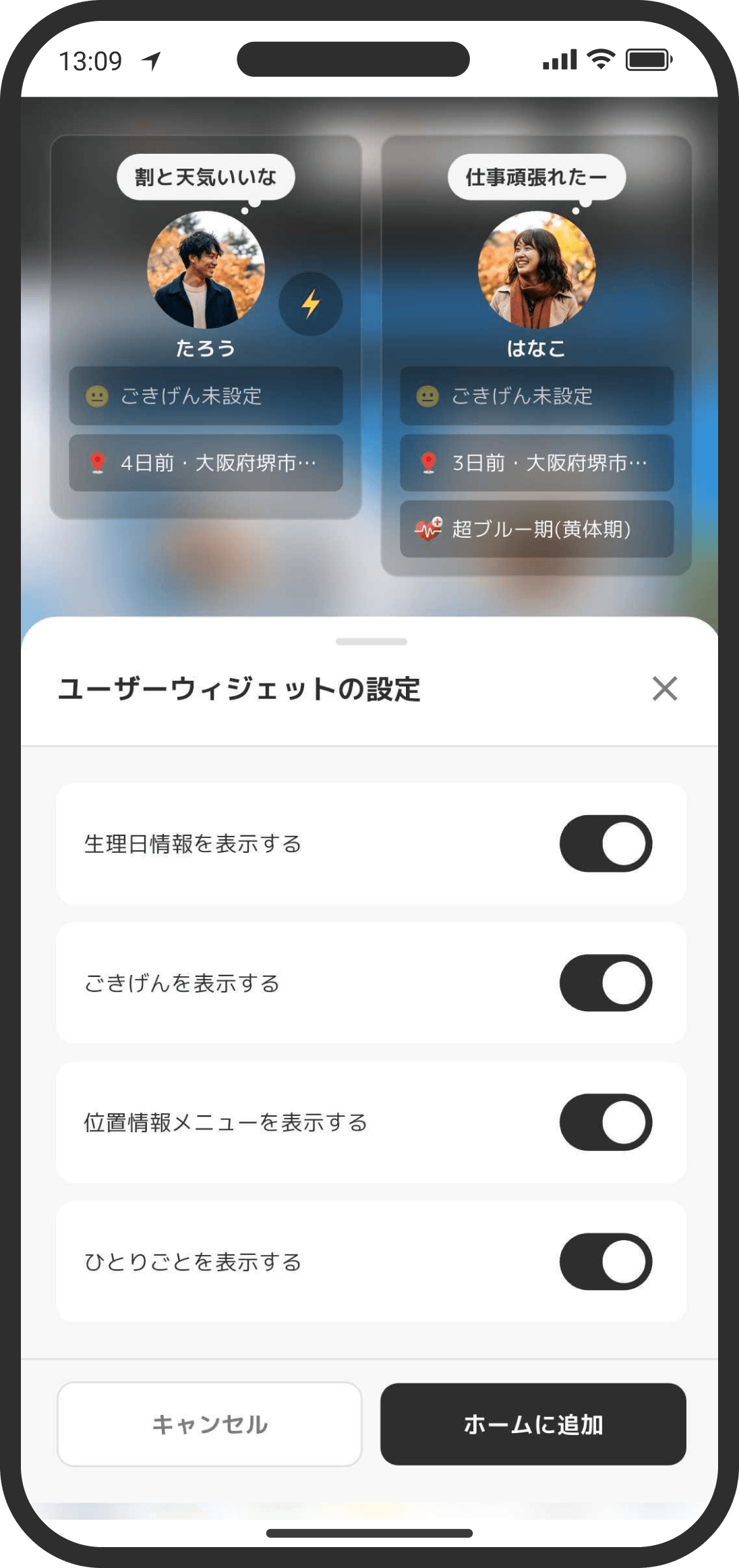
Record how you're feeling right now (your mood) and share it with your partner. When you see your partner's mood, you can tell things like "they're a little tired today." If your partner has set their 16Personalities® type, you'll also see tips on how to support them when they share a negative mood.
How to use it
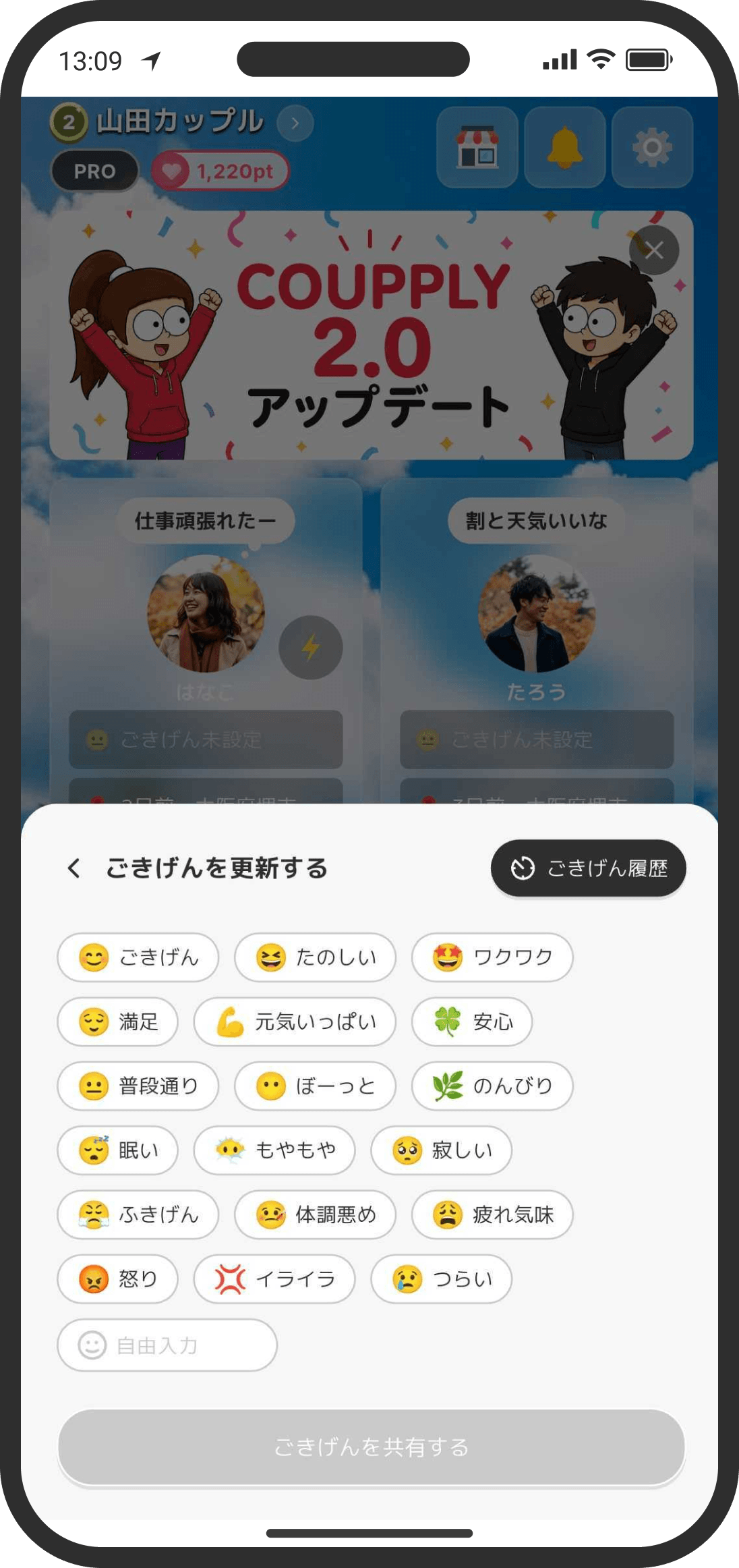
- Set your mood from the user widget on the Home screen.
- Pick one of the preset moods (such as "Happy," "Having fun," "At ease," "Having a hard time," or "A bit tired"), or create your own with words and an emoji.
- Your custom moods appear to the right of "Custom," up to the 10 you used most recently. Tap one to pick the same words and emoji again. Scroll sideways to see the ones that don't fit.
- You can use your own emoji even with the same words as a preset mood (for example, "Having fun" with 🥳). It shows with that emoji on your partner's screen and in Timeline too.
- You can add a short comment too (for example, "I have a headache").
- Finally, choose how long to show it ("End of today" or "Never") and send it.
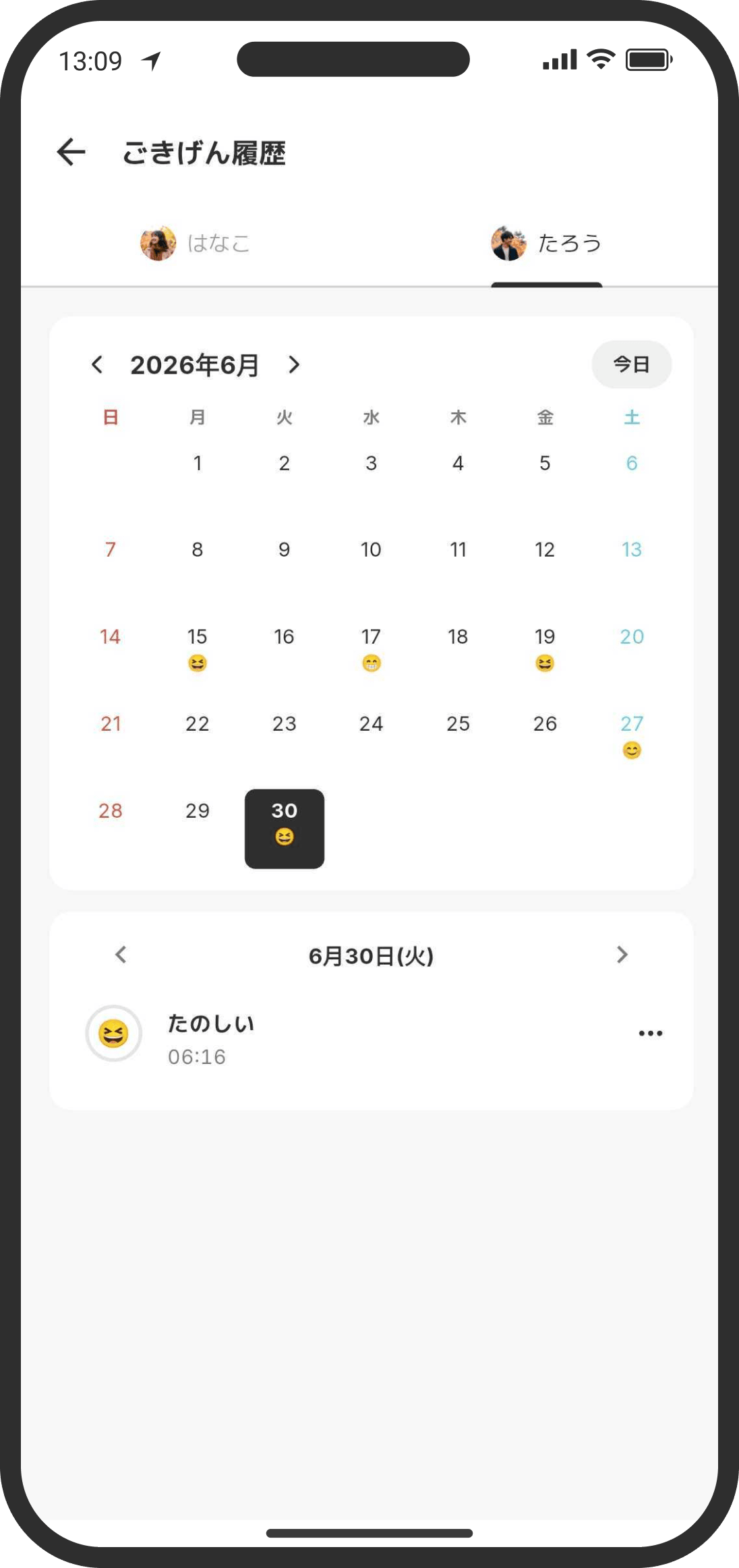
- Look back on how your mood changed from day to day in the monthly calendar of your mood history. Tap the "Mood history" button on the mood screen to see both your history and your partner's.
FAQ
Q. Will my partner be notified?
Yes. When you send a mood, your partner gets a mood update notification. If they've turned off this type of notification, they may not get it (your mood still shows on their screen).
Q. Can I tell whether my partner has seen it?
No. Moods don't show whether they've been read.
Q. When does "End of today" disappear?
After 11:59 PM that day, your partner's screen switches to "No mood set" (the record stays in your history). To keep it showing, choose "Never." It then stays until you update your mood again.
Q. I created my own mood but can't send it
A custom mood needs an emoji. If you leave the default emoji icon, the send button stays disabled. Pick an emoji and try again. Your custom moods are listed from your mood history, so they stay even if you change phones. If you delete that record from your history, the mood may no longer be listed.
Q. Why am I asked whether my partner is the cause when I pick a negative mood?
When you choose a negative mood, the app asks whether your partner is the reason. This keeps your partner from worrying "maybe it's my fault" when they see your mood. It appears when you choose "Uneasy," "Lonely," "Grumpy," "Angry," "Irritated," "Having a hard time," "A bit tired," or "Feeling unwell." Don't overthink it; just pick the closer answer.
Q. Can I change it later?
Yes. Update it again and the new mood replaces the old one. Each update is added to your history, and you can delete entries you don't need one by one. You can also clear your current mood and go back to having none set.
Q. My earlier history isn't showing
Versions before 2.0 didn't save mood history, so it can't be shown. Moods recorded in version 2.0 or later appear in your history.