


Organize with folders
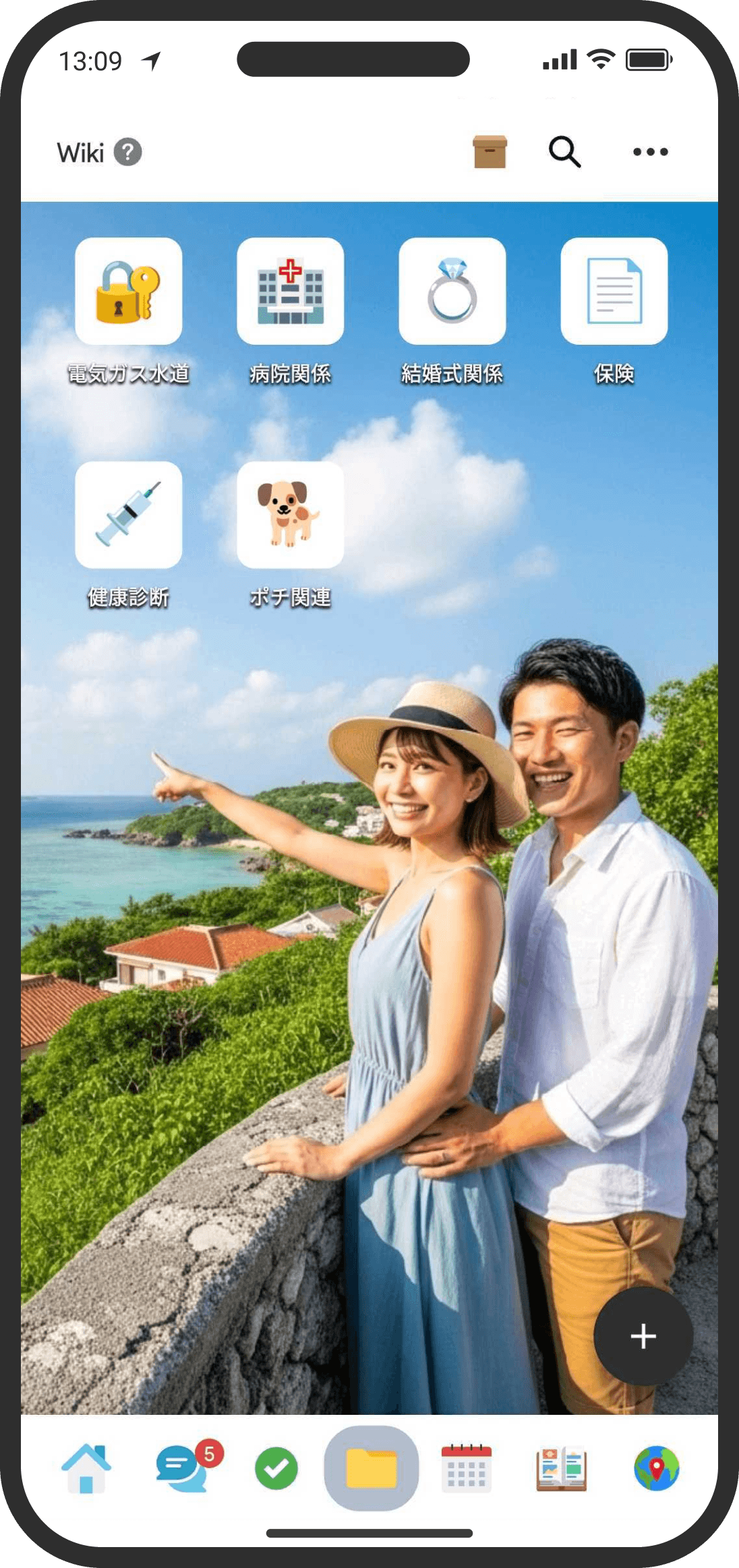
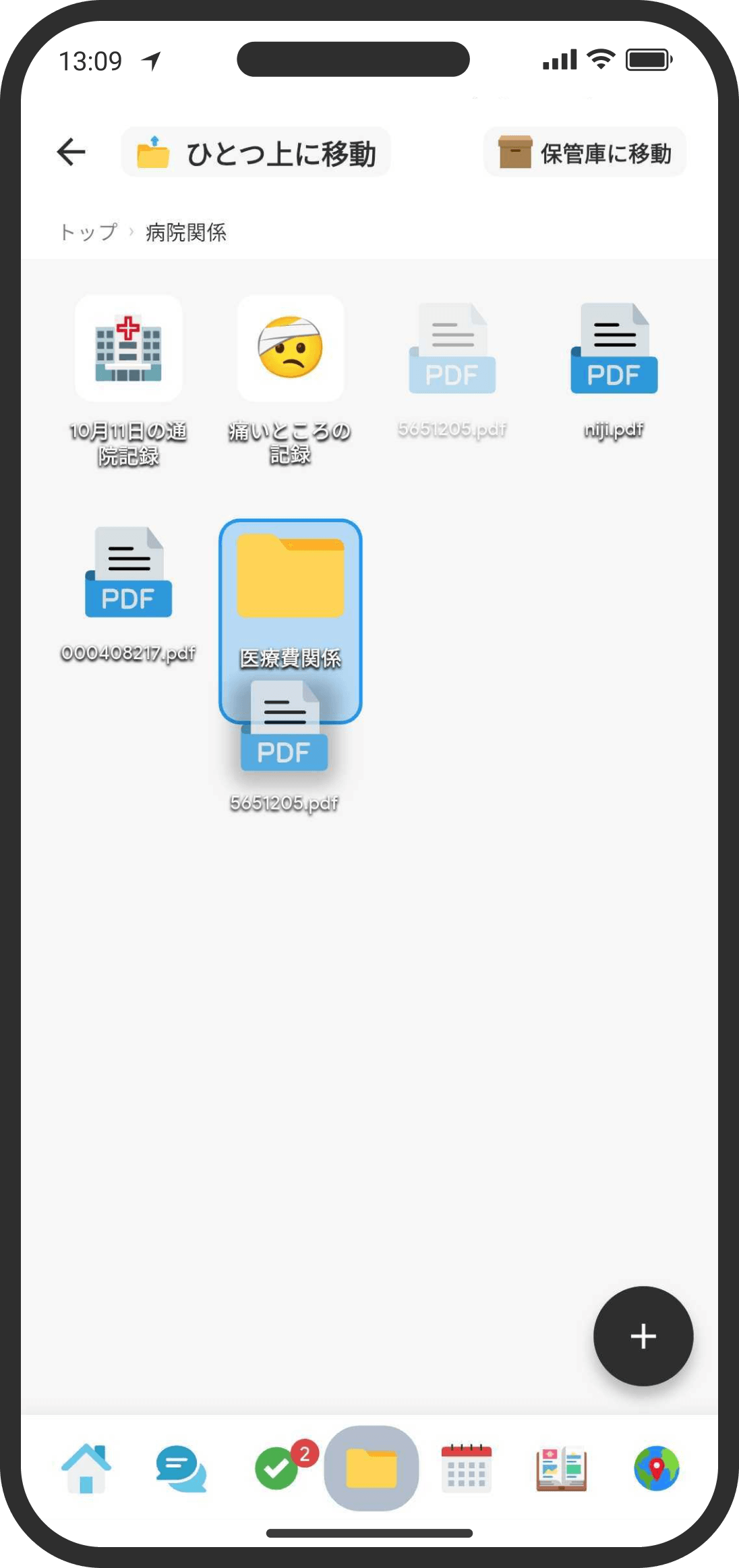
As things pile up, splitting them into folders like "Travel," "Money," or "Things to do" makes them easier to find. You can also give each folder its own background image for grid view.
What is it?
Group the memos, data, and files in the Wiki into folders to keep things tidy. Folders are shared too, so your partner sees them just as you do.
How to use it
- Create one from "+" on the Wiki's top page or inside a folder, then "Folder" (in Default mode, tap "+" at the top right of "Top" on the Home screen, then "Folder").
- Drag and drop the memos, data, and files you want to organize to add them to a folder.
- To take an item out of a folder, drag and drop it onto "Move up one level" at the top left.
- Switch between list view and grid (folder) view from the menu at the top right. Your choice is remembered on your device, so it opens the same way next time.
- Inside a folder, a breadcrumb trail like "Top › … › current folder" appears at the top of the screen. Tap any folder name in it to go back to that level.
- In grid view, you can change the background image for each folder (open the folder, then tap "..." at the top right and choose "Change Background").
FAQ
Q. Can I make folders inside folders?
Yes. You can nest them to keep things organized.
Q. Can I put chats (threads) or checklists in a folder too?
Yes, in Default mode. On "Top" on the Home screen, drag a chat or list row onto a folder to put it inside. In Custom mode, you can only add memos, data, and files to folders, but chats and lists you added in Default mode don't disappear (open that folder in the Wiki to see them inside, and switch back to Default mode to drag them in and out again).
Q. Will our folders be separate even after I organize them?
No. The folder structure, what's inside, and background images are shared between the two of you. Only the list/grid view setting is saved on each device.
Q. Will my partner be notified when I create or organize folders?
Only creating a folder sends your partner a notification (if the "Folders" category is turned on in their notification settings). Reordering, moving between folders, and deleting a folder don't send notifications.
Q. I want to get rid of a page I don't use anymore, but keep it just in case
Drag it onto the "Archive" icon at the top right of the screen. It disappears from the list while the data is kept. Note: when you restore something from the archive, it always goes back to the outermost level (the Wiki's top page). It doesn't automatically return to its original folder.
Q. I want to delete a folder itself
Open the folder, tap "..." at the top right, and choose "Delete."
- If the folder contains other folders, you can't delete it (you'll be asked to delete the folders inside it first).
- If it only contains memos, data, and files, you'll get two choices: "Delete the Folder Only" (its contents move to the top level) or "Delete All Pages and Files Too."
- If you choose to delete everything, the contents are permanently deleted too. This can't be undone.
Q. I can't find what I'm looking for
Search looks through everything inside your folders at once, including memo text, data contents, and even file names. You can also filter by type.